Example
Policy Process#
BPMN#
Business Process Model and Notation (BPMN 2.0) was developed as a graphical notation to represent complex processes and address these challenges. The visual nature of BPMN enables greater collaboration between different teams.
The policy process is a more complex BPMN process that consist on several User Tasks, Script Tasks, Call Activity (subprocess) and multiple Gateways and boundary events.
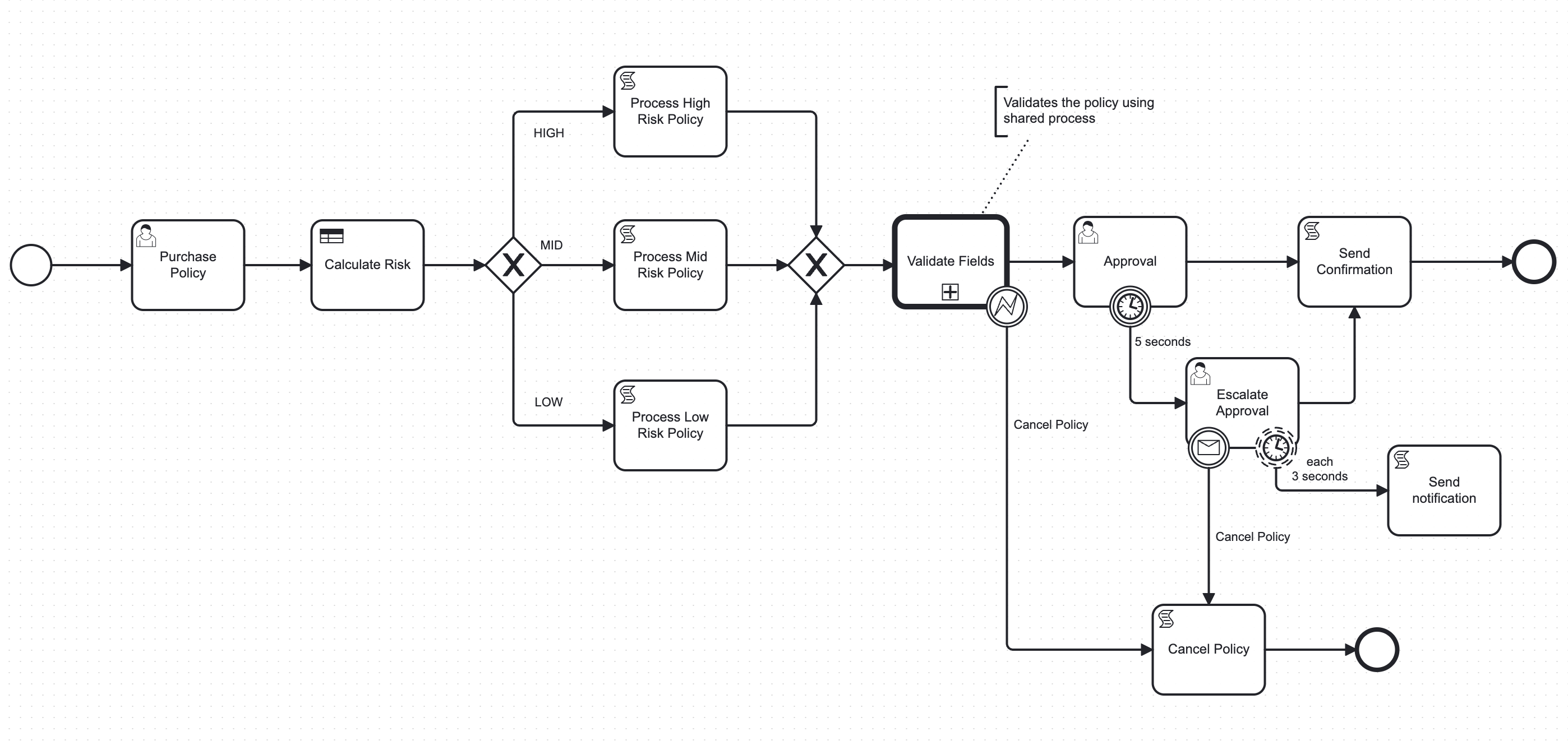
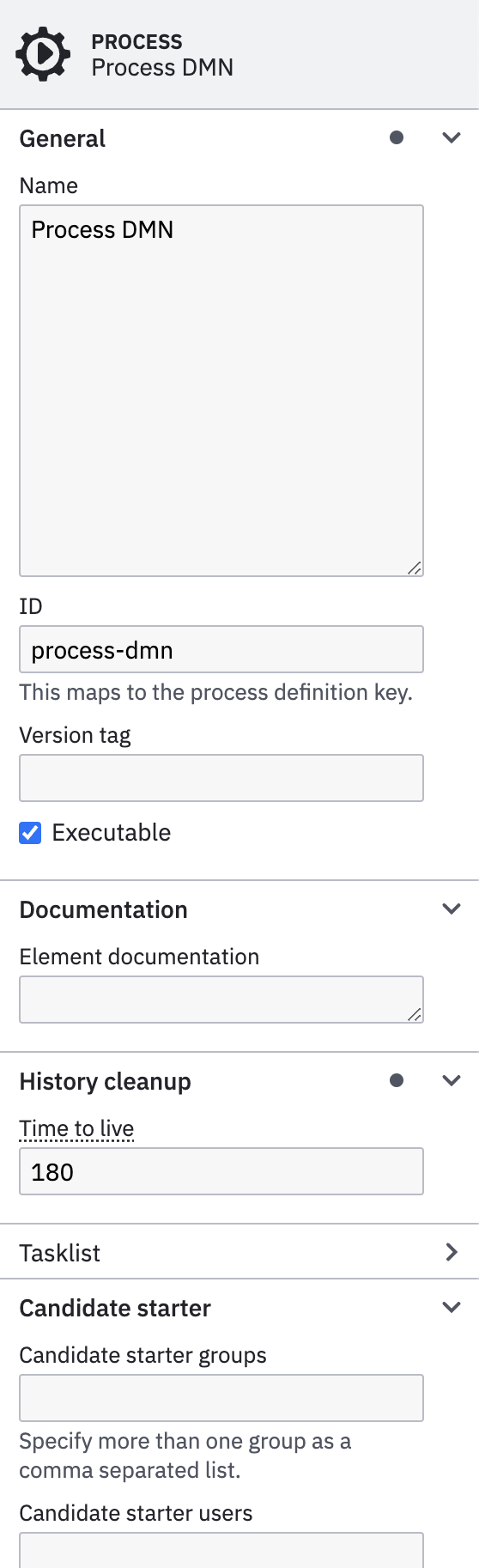
In the Process tab you have to configure the Name and ID of the process.
Note
You must select in an empty area of the Camunda Modeler to get the process properties.
This process can be used as standalone or invoked by other processes as Call Activity (subprocess). In this case this is the main process, so other processes will be executed from this one.
Another important configuration if the Historical Time to live (HTTL), the Candidate starter groups and Candidate starter users that will be able to interact with this process.
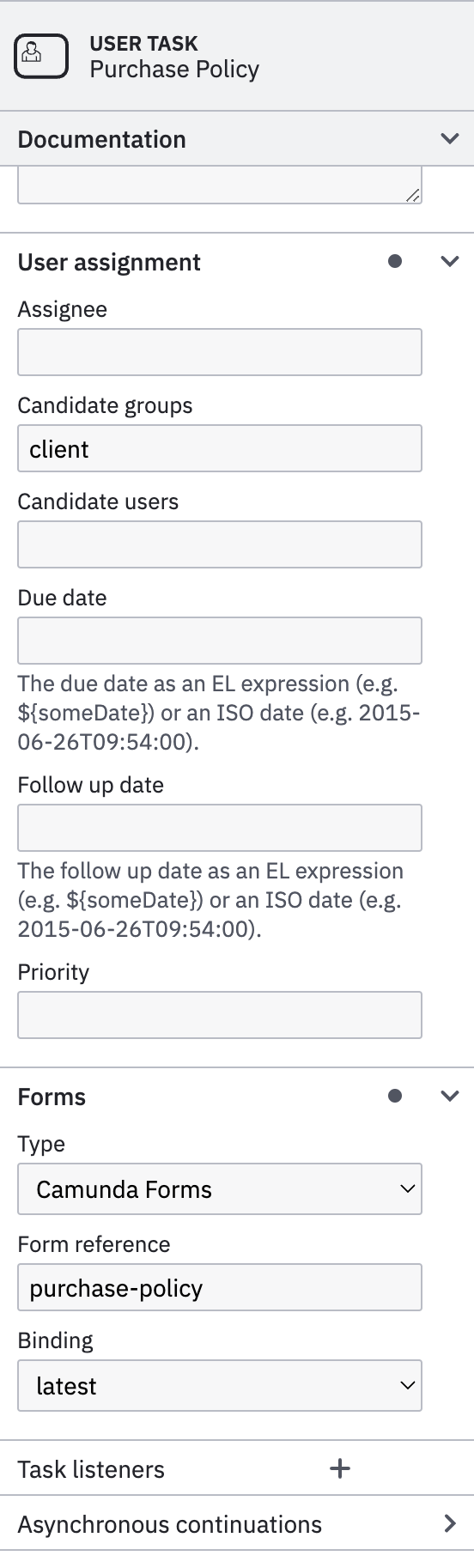
User Tasks are tasks that need user interaction to be able to continue with the process. When an user task is completed, the task may need additional variables to be submitted into the flow (Forms). These variables can be used for following tasks to perform automatic tasks such as validations, data persist operations or be used by conditionals based on gateways or rule engines (DMN).
User tasks allows to configure the assignments based on following properties:
- Assignee: the user that must complete the tasks
- Candidate groups: Comma separated values with the groups or profiles allowed to claim the task.
- Candidate users: Comma separated values with the users allowed to claim the task.
- Due date: Due date to complete the task, otherwise the task will be cancelled.
In order to get variables to be submitted into the process, Camunda allow to configure Forms directly into the tasks.
- Type: Type of Form supported by Camunda:
Camunda Forms,Embedded or External Tasks FormsorGenerated Task Forms. - Form reference: the form identifier (
ID) used when creating theCamunda Form. - Binding: The version of the form used:
deployment,latest,version.
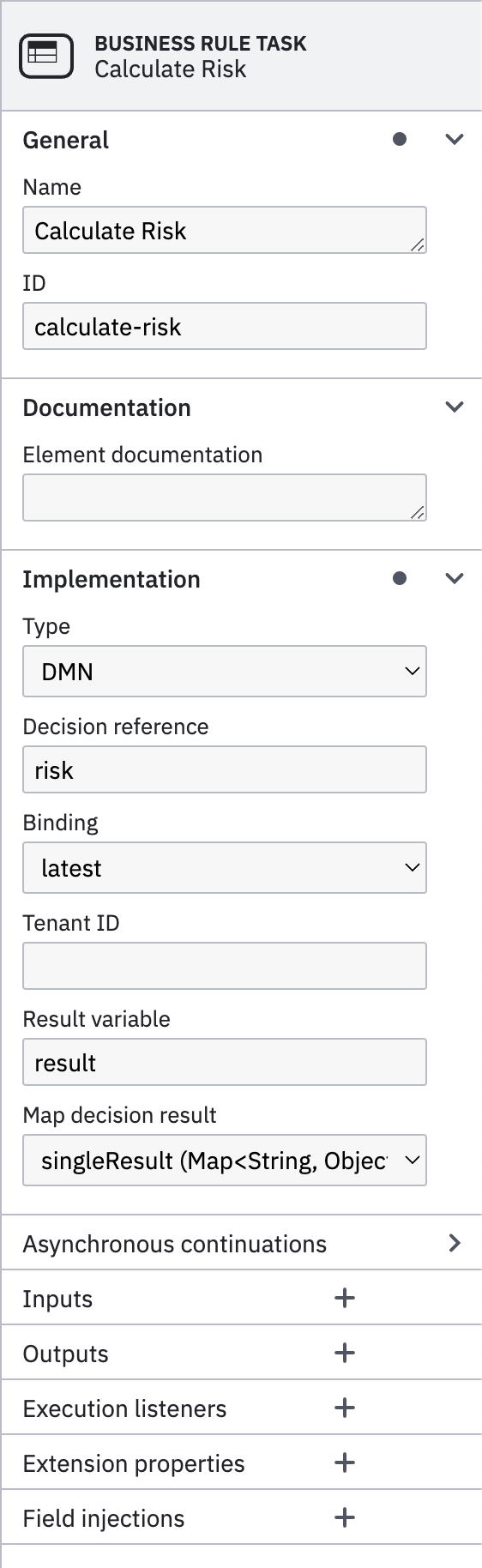
The Business Rule Task allow to set a business logic (conditions) to generate results (outputs) based on variables (inputs) from the current process.
- Type: Types of implementations that can be used: DMN, External, Java Class, Expression, etc..
- Decision reference: In the case of using DMN, the decision table to be used to compute the business rules.
- binding: The version of the form used:
deployment,latest,version,versionTag. - Result variable: The name of the variable with the result (
output). - Map decision result: Depending on the result to return or the
Hit Policyusing DMN, it can return multiple occurrences. For that Camunda allow the following types:singleResult (Map<String,Object>),resultList (List<Map<String,Object>>),singleEntry (TypedValue),collectEntries (List<Object>).
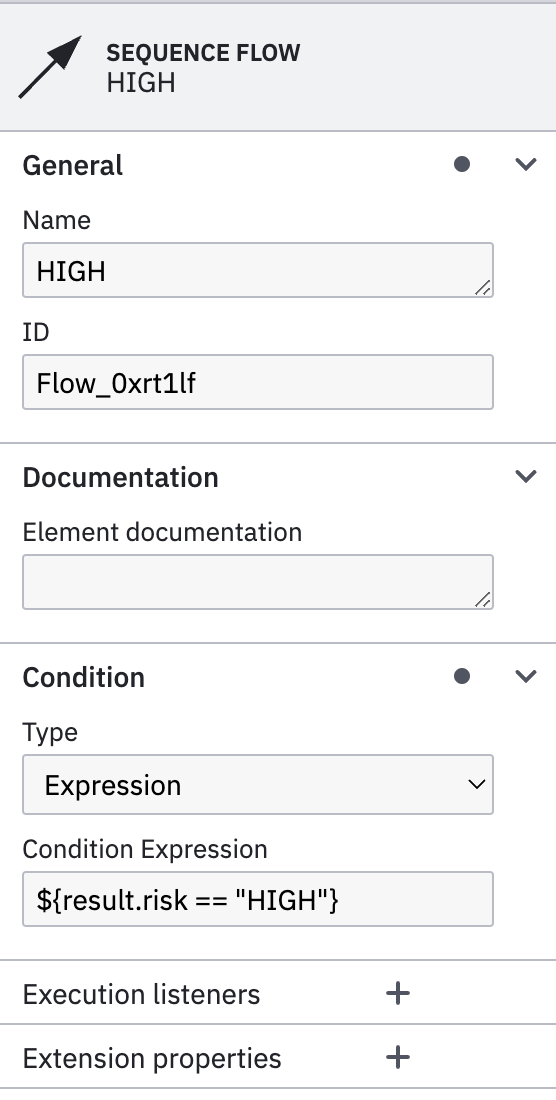
By using conditional gateways (Exclusive Gateway), you can control the sequence depending on conditions. Those conditions are computed by the Sequence Flow, that are the arrows that are connected to the conditional gateway.
In order to set the condition, you must configure following properties:
- Type: You can choose between
ScriptorExpressionto specify the condition. - Condition Expression: In the case of using
Script, you can use following script to check for a particular condition:${result.risk == "HIGH"}
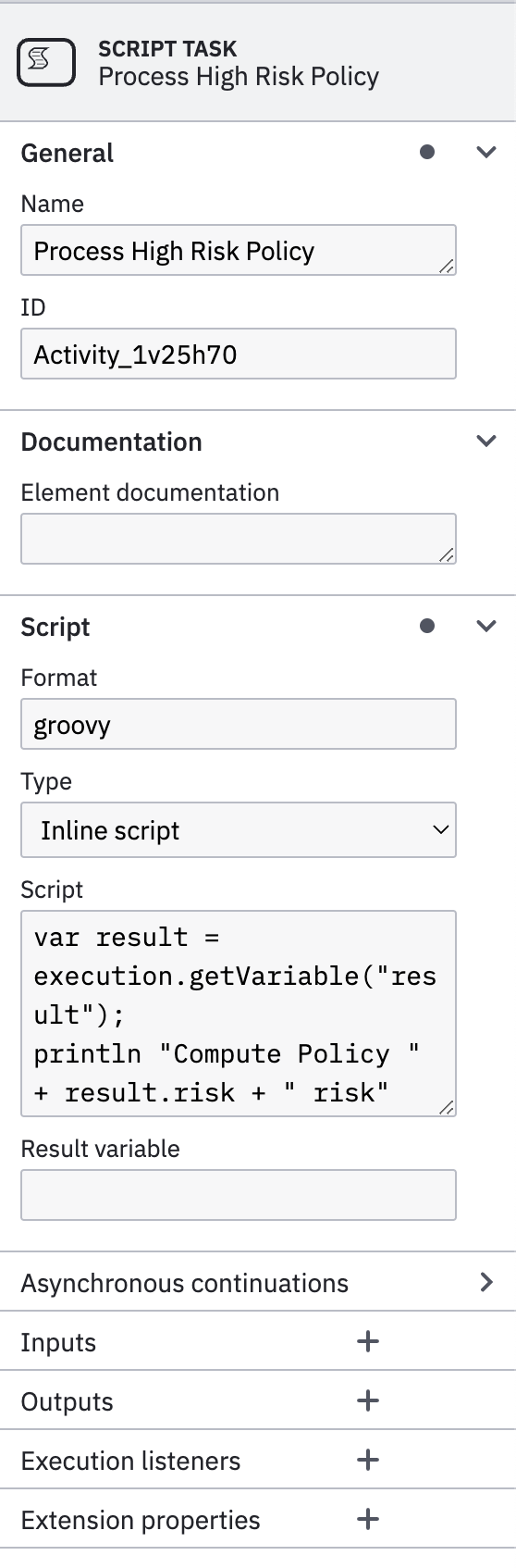
This is an automatic task that support scripting. There are several scripting languages supported by Camunda. You would need to add dependencies to support various languages into the Camunda project.
In order to support groovy scripting language to will need to add following dependency into pom.xml file.
  <dependency>
      <groupId>org.codehaus.groovy</groupId>
      <artifactId>groovy-jsr223</artifactId>
      <version>${groovy-jsr.version}</version>
      <scope>compile</scope>
  </dependency>
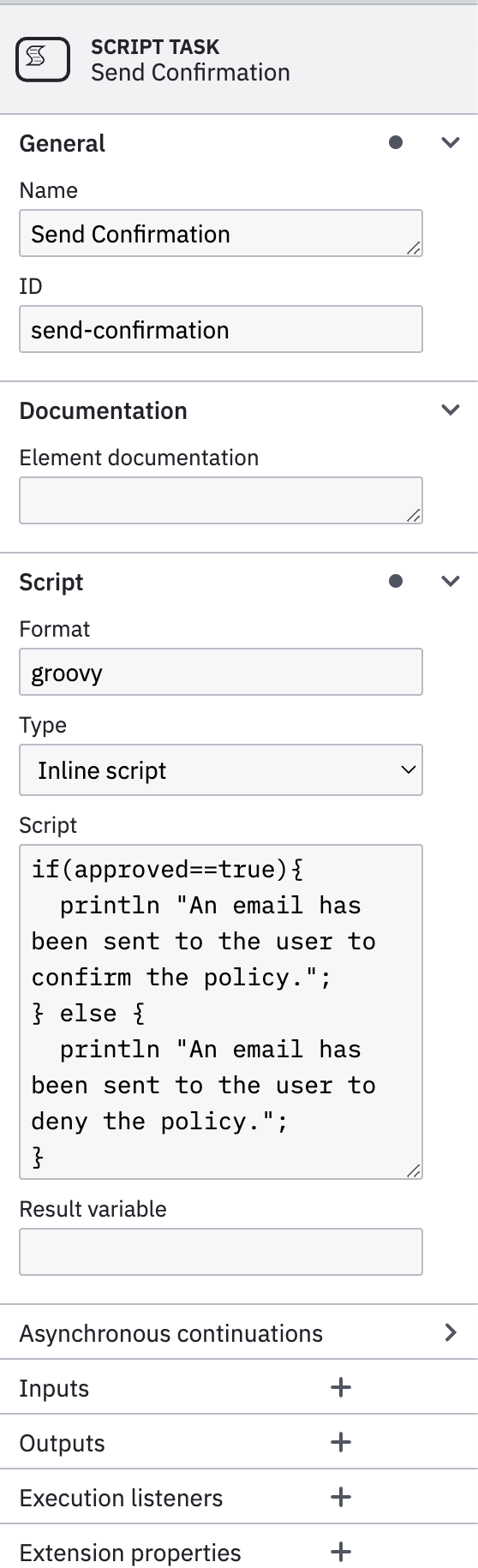
In order to properly configure a Script Task you will need to select:
- Format: The format of your scripting language:
groovy,javascript,python, etc.. - Type: There are two options
Inline scriptorExternal Resource - Script/External Resource: Depending on the
Typeselected you must put down your script or reference an external file.
Following groovy script will extract the variable result generated by the Business Rule Task (DMN) and print a message into the console, with the risk attribute.
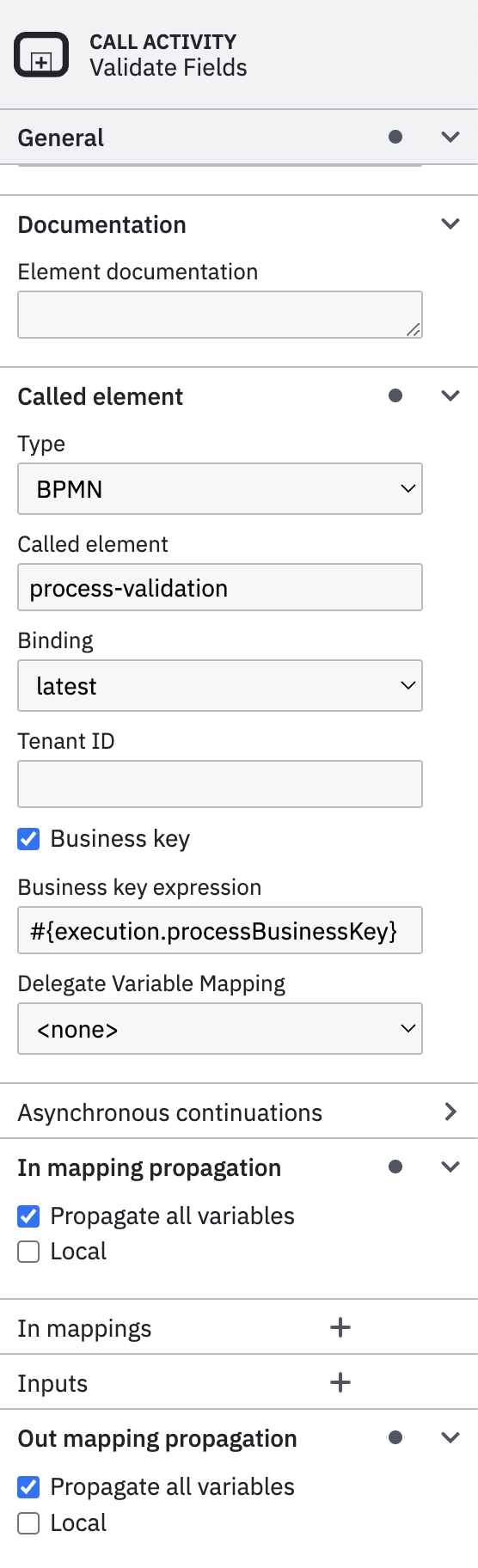
Call Activity allows to call a subprocess modeled into a different file. This allows to share processes instead creating embedded subprocesses in the same file.
In order to properly configure a Call Activity, you must set following properties into Called Element:
- Type: Call activity could be either
BPMNorCMMNsubprocess. - Called element: The reference of the called element or subprocess
ID. - Binding: The version of the form used:
deployment,latest,version,versionTag. - Business Key: Allow to propagate the same
Business Keyto the subprocess being called.
In order the subprocess and parent share the same variables ensure to check following properties.
Propagate all variablesinIn Mapping PropagationPropagate all variablesinOut Mapping Propagation
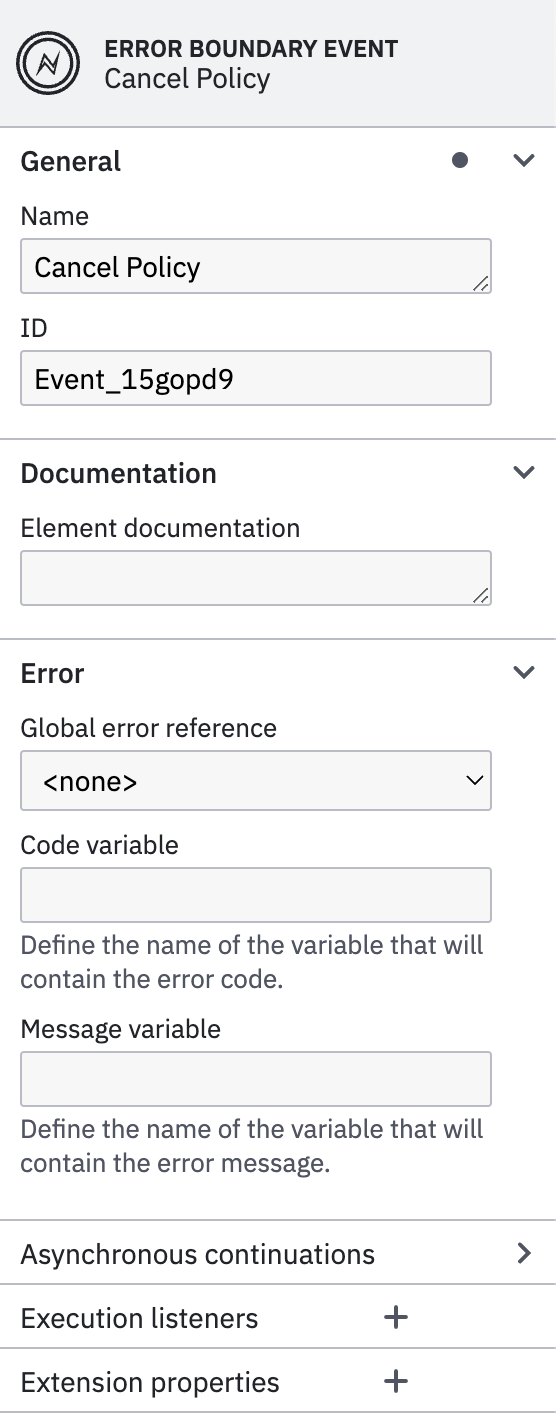
Boundary events provide a way to model what should happen if an event occurs while an activity is still active.
A boundary event must be an intermediate catch event, and can be either interrupting or non-interrupting. Interrupting means that once triggered, before taking any outgoing sequence flow the activity the event is attached to is terminated. This allows modeling timeouts where we can prune certain execution paths if something happens (e.g. the process takes too long).
You can add as many as needed Boundary events to a Task (Service Task, User Task, Script Task, etc..).
There are multiple options supported in BPMN like Message Events, Signal Events, Timer Events, Error Events, Escalation Events, etc..
In BPMN, errors define possible errors that can occur. Error events are elements in the process referring to defined errors. An error can be referenced by one or more error events. An error must define an errorCode. The value of this errorCode is used to determine which catch event can catch the thrown error.
Note
In the example this Error Boundary Event will catch any error thrown by the Child Task (subprocess), so it won't take into consideration the errorCode of the exception so it catches all thrown errors.
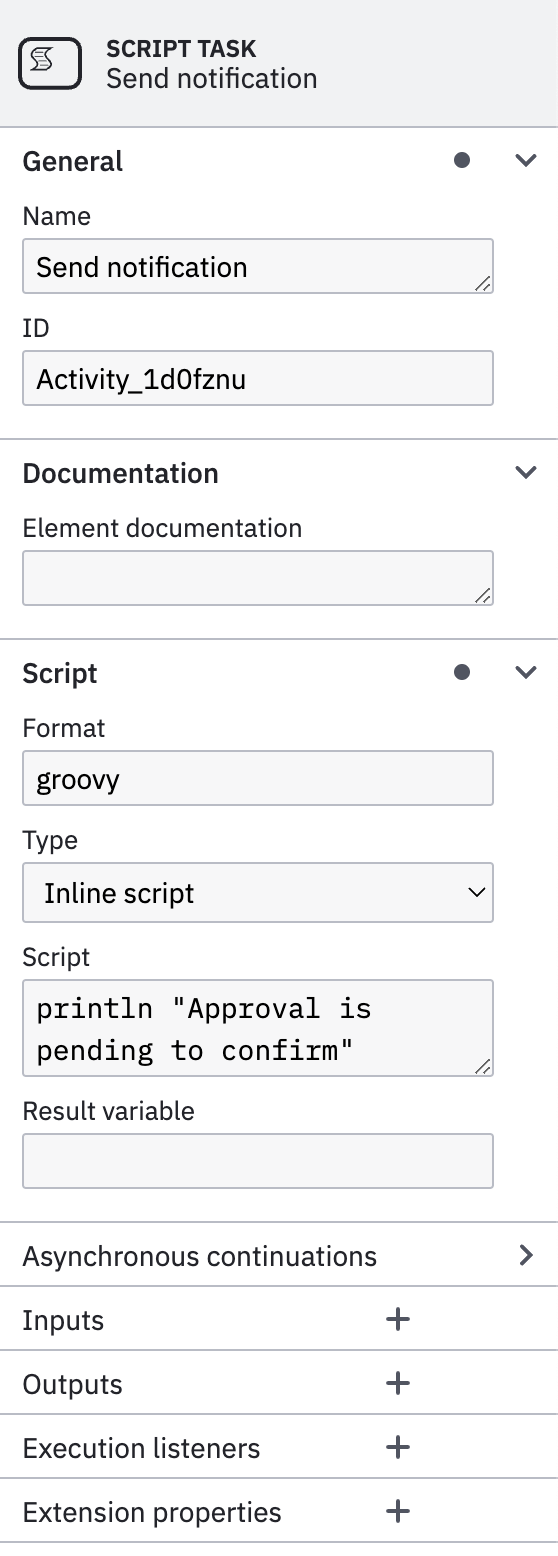
This is a Script Task that only print an output log into the console.
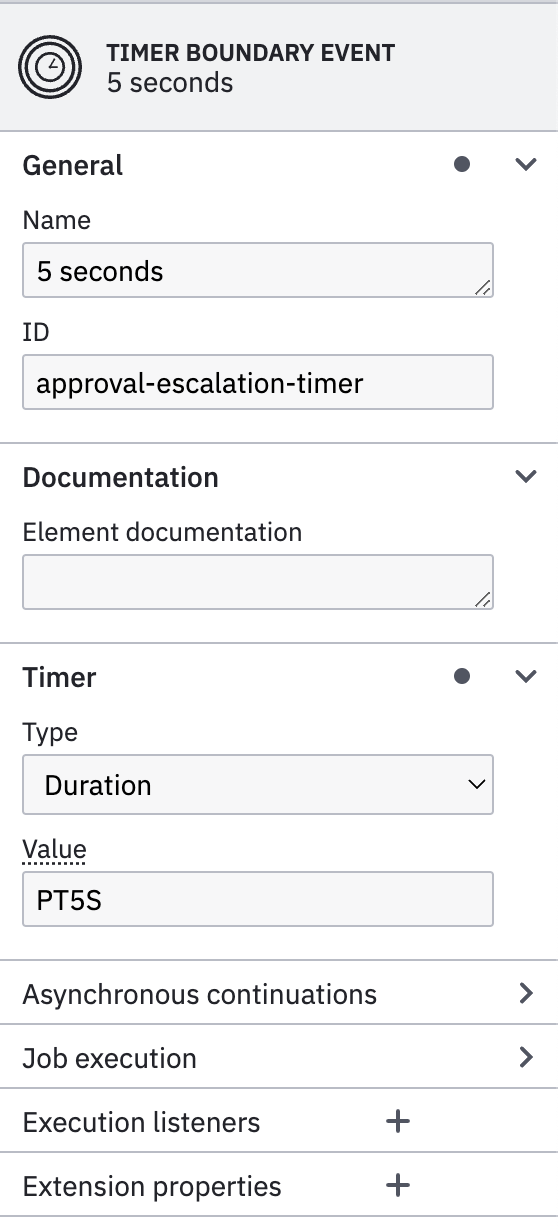
Timer Boundary Event can be either interrupting or non-interrupting, in this case it is Interrupting. Interrupting means once is triggered the flow changes breaking the normal flow. The non-interrupting boundary events has dotted lines and the interrupting not.
In order to properly configure Timer Boundary Event you will need to set following properties:
- Type: You can select between three different types:
Date,DurationandCycle. - Value: The time value depending on the type. For the duration and date it uses ISO 8601 time format (i.
PT5S,R/PT3S)
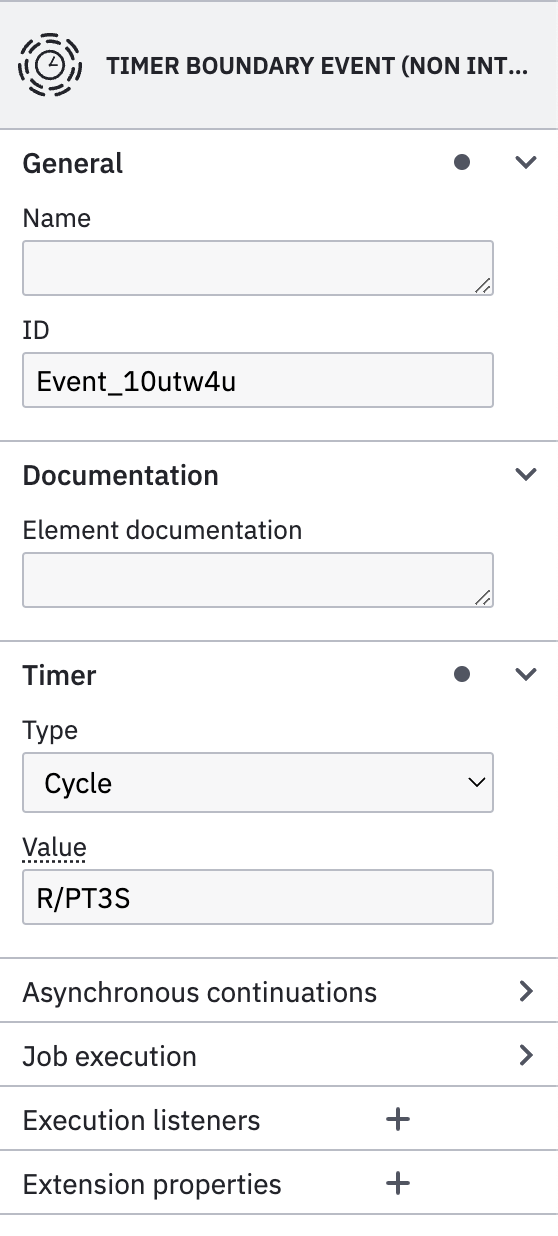
Timer Boundary Event can be either interrupting or non-interrupting, in this case it is non-interrupting. Non-interrupting means once is triggered the flow does not change the normal flow, instead it will run in parallel the secondary flow while it's waiting for the main task to be completed. The non-interrupting boundary events has dotted lines and the interrupting not.
In order to properly configure Timer Boundary Event you will need to set following properties:
- Type: You can select between three different types:
Date,DurationandCycle. - Value: The time value depending on the type. For the duration and date it uses ISO 8601 time format (i.
PT5S,R/PT3S)
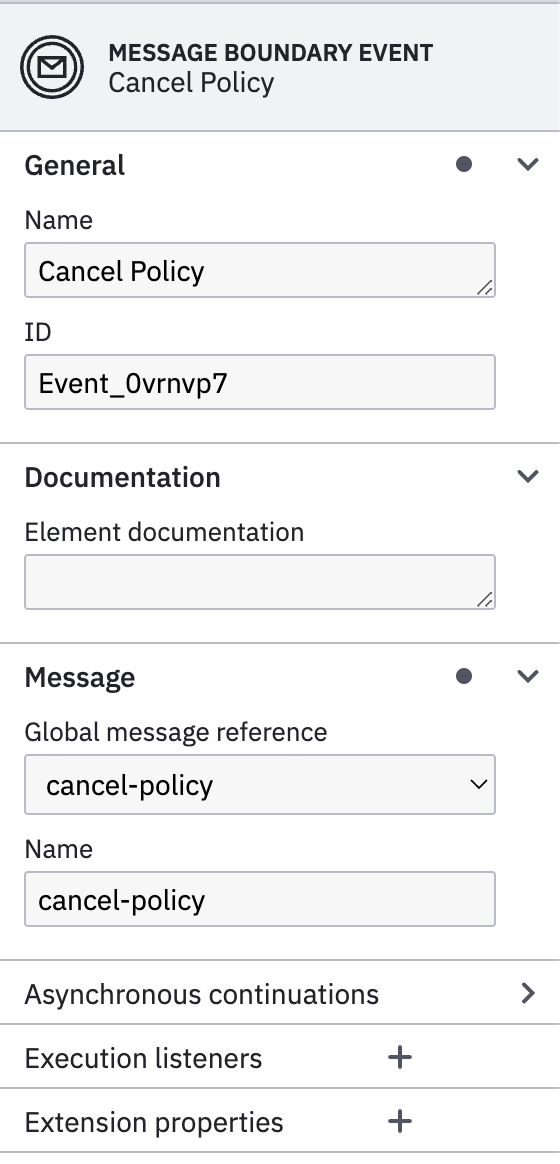
Message Boundary Event can be either interrupting or non-interrupting, in this case it is Interrupting. Interrupting means once is triggered the flow changes breaking the normal flow. The non-interrupting boundary events has dotted lines and the interrupting not.
In order to properly configure Message Boundary Event you will need to set following properties for the Message:
- Global Message reference: the message reference to be subscribed on. If the event does not exist it must be created.
- Name: The name of the message event.
Once Boundary Event receives a message using that message name and the Business Key, it will be triggered so the normal flow will break.
Forms#
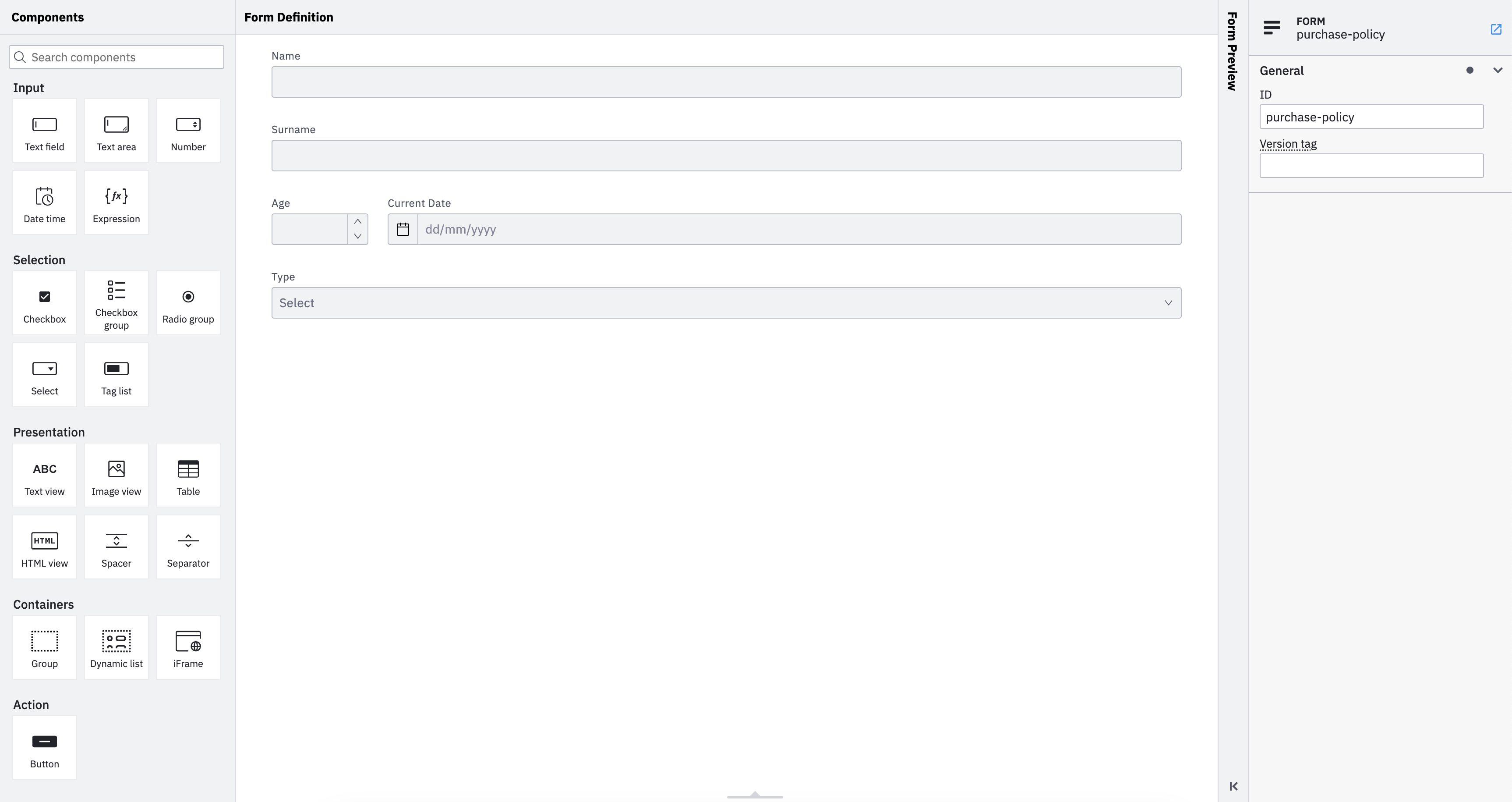
Forms can be modeled using Camunda Modeler. You can add as many elements to the form and binding to variables that will be submitted to the process when the task is completed.
Warning
Using Camunda Forms may not fit with the web framework or styles you are currently using. Because of that, you should create your own forms and bind them to the tasks by using proper identifiers.
DMN#
DMN stands for Decision Model and Notation. It is a standard administered by the Object Management Group (OMG) and has been widely adopted across various industries. Businesses leverage DMN to design decision models that are used for automation of the decision-making processes. DMN serves as a common language to align business and IT on repeatable business rules and decision management. The notation enhances business efficiency, reduces the risk of human error, and ensures that decision models are interchangeable across the organization.
Core elements of DMN include:
- Decision tables: Simple and intuitive representation of decisions consisting of input, condition, and output.
- Friendly Enough Expression Language (FEEL): Used to express conditions in the decision tables so they can be executed.
- Decision Requirements Diagrams (DRD): Created when a decision can not be described in just one simple table. For example, when there are dependencies between intermediate decisions output from which serve as an input for the final decision to be made.
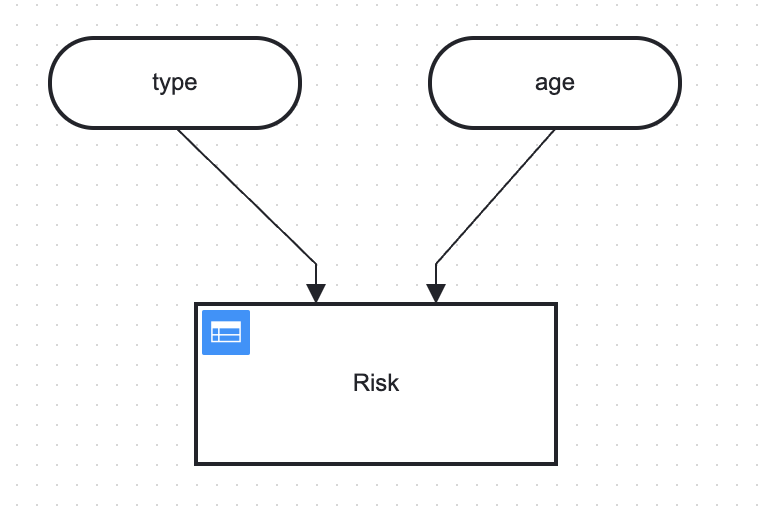
The example process dmn consist in one decision table and two inputs, there is no additional DRD or functions.
A decision table represents decision logic which can be depicted as a table in DMN. It consists of inputs, outputs and rules. Decision Tables can be chained by creating a Decision Requirements Diagrams (DRD)
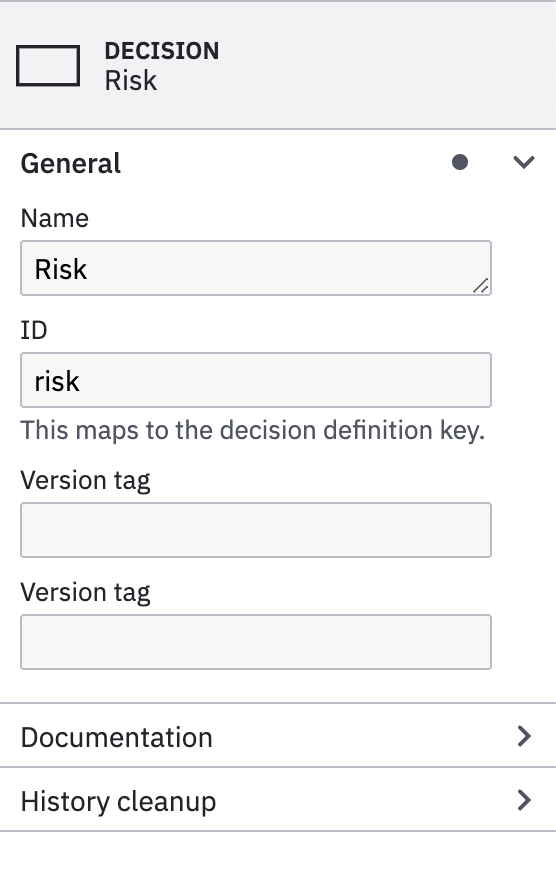
In the configuration tab Name and ID must be specified for the DMN.
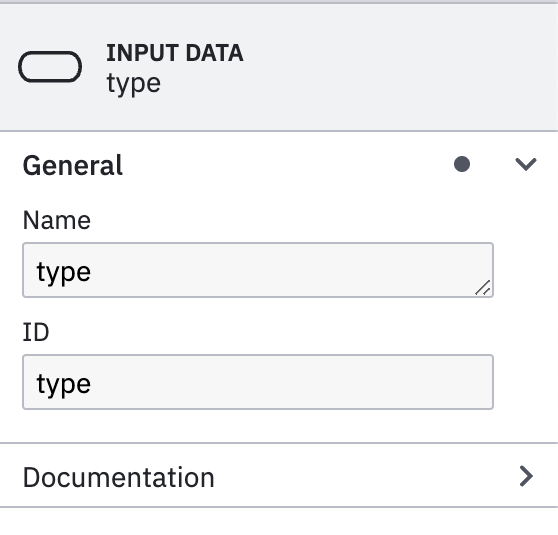
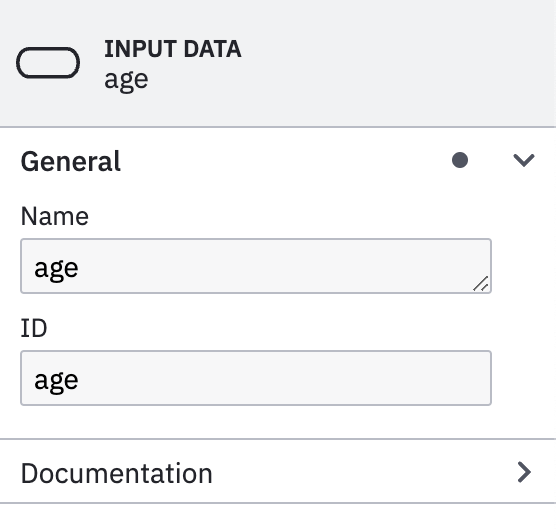
Inputs must be named in the same way as the variables from the process (i.e type, age).
Later these inputs can be referenced in the Decision Table as an Expressions. This way it makes more explicit the inputs used for each Decision Table from the DMN
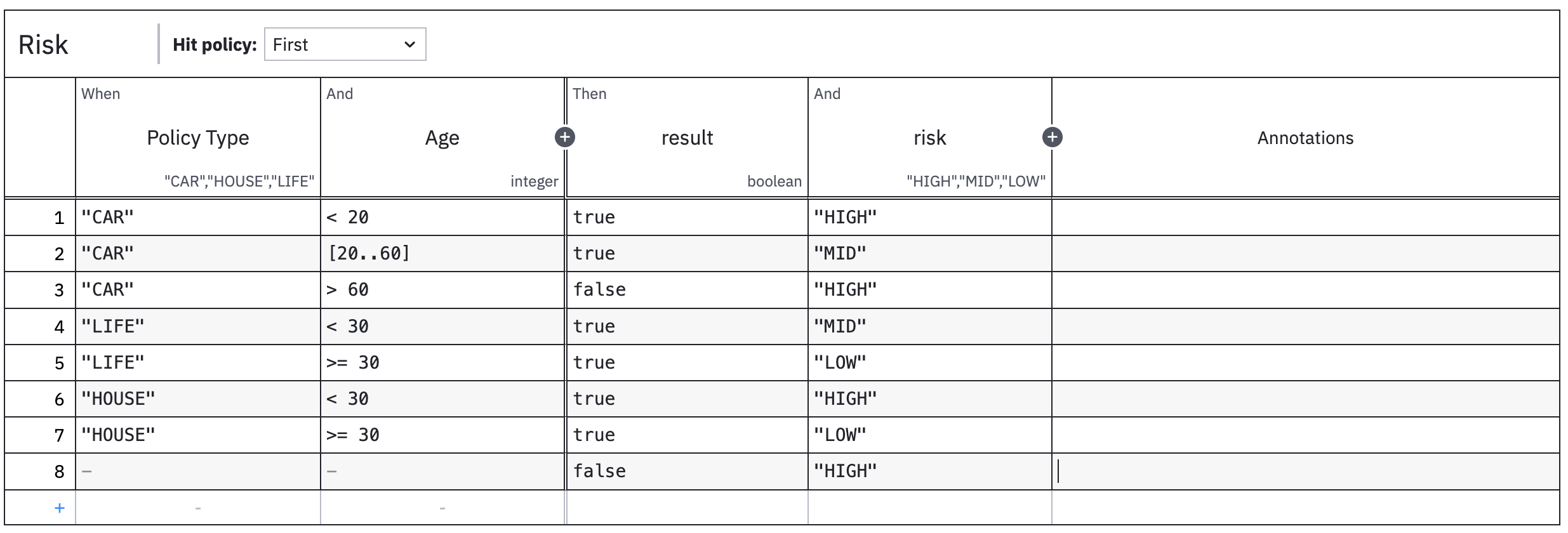
A decision table consists of several rules, typically represented as rows. When reading such a row, we look at certain input values and deduct a certain result represented by output values.
Hit policies describe different ways (standardized by DMN) to evaluate the rules contained in a decision table. Different hit policies do not only lead to different results, but typically also require different modes of thinking and reason about the meaning of the entire table. For example, When using the simplest hit policy "unique" or "first", such rules do not overlap: only a single rule must match.
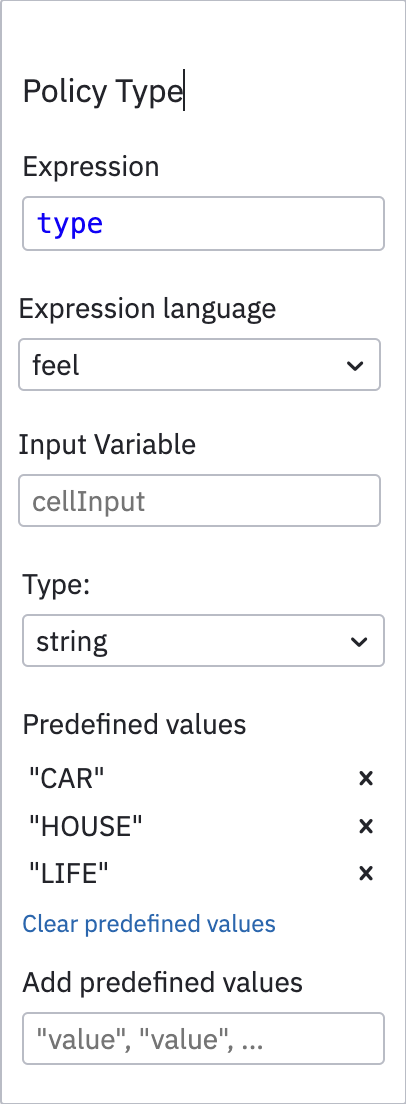
Depending if you are defining de inputs in the DRD, you can use an Expression or use Input Variable instead.
So, if you already have an input data named type you can use the same value for the expression. However if you don't have defined any input data to your ** , then you must use Input Variable** with the variable type.
Note
It's best practice to use inputs from expressions rather than row inputs, since you can watch all inputs be seeing the DRD.
Using string types you can define predefined values (aka enumerations) in order to restrict possible values to choose from.
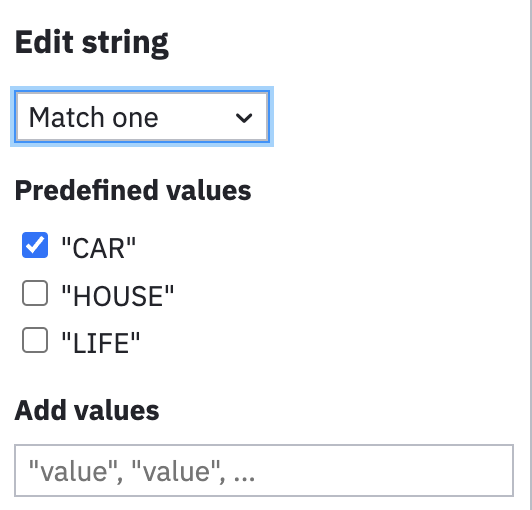
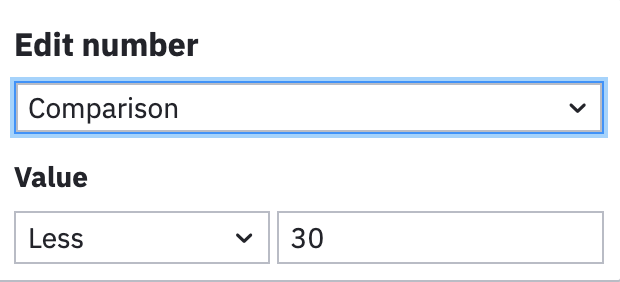
Depending on you input types you can select the condition to evaluate (Match one, Comparison) and the values to compare with (CAR,< 30).
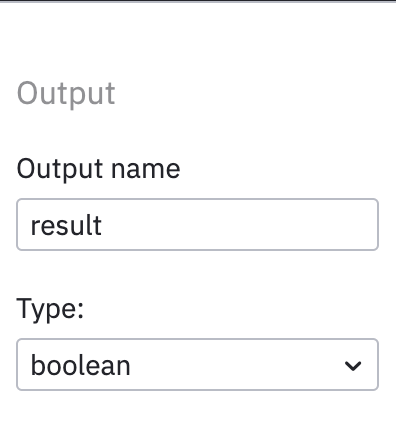
For the out put you must decide the type of the output and the value for each row.
You can have multiple outputs returned in the final result.
The final result from the DMN will be used by flow and for the validation process with the following json format.
Validation Process#
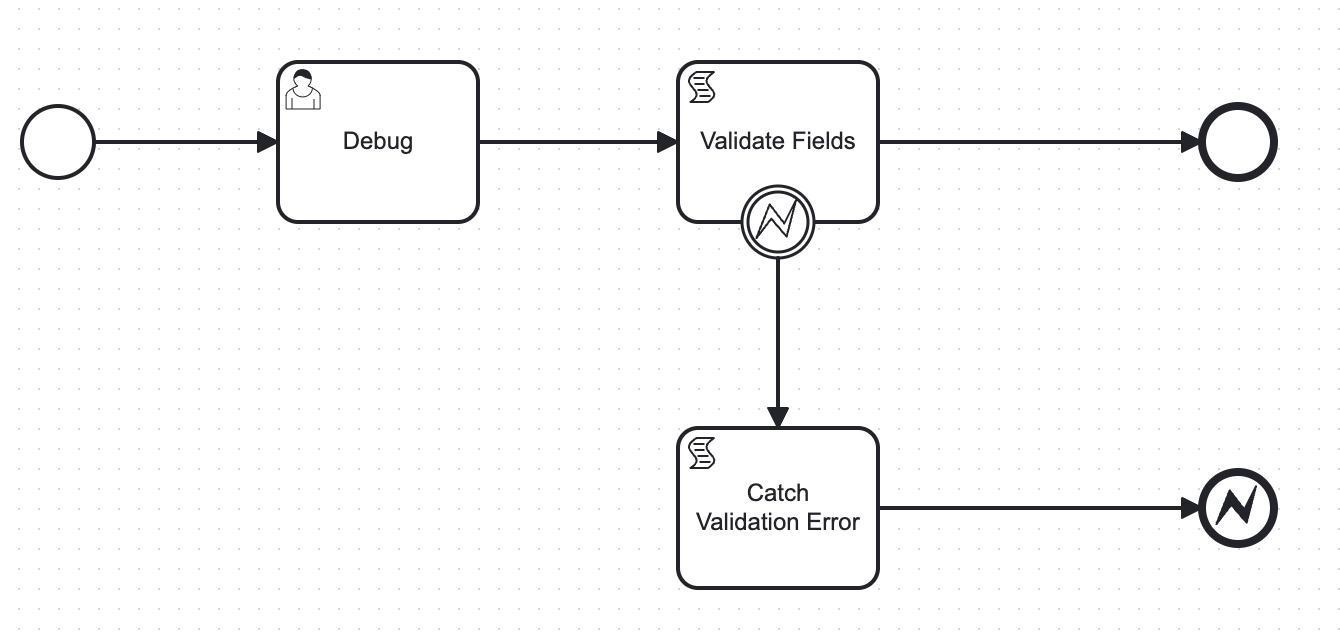
The validation process consist in one automatic task (Script Task) that checks whether the result from previous operation was successful. Otherwise, it will throw an exception that terminates the subprocess with an error. This error will be caught by the parent process in order to perform an action.
Following is the structure of the result from the DMN Task
The BPMN model of the validation process is the following.
Note
The process bellow have a Debug User Task so it will be easier to debug and watch variables, since it will stop the flow at that stage. You will need to remove it at the end.
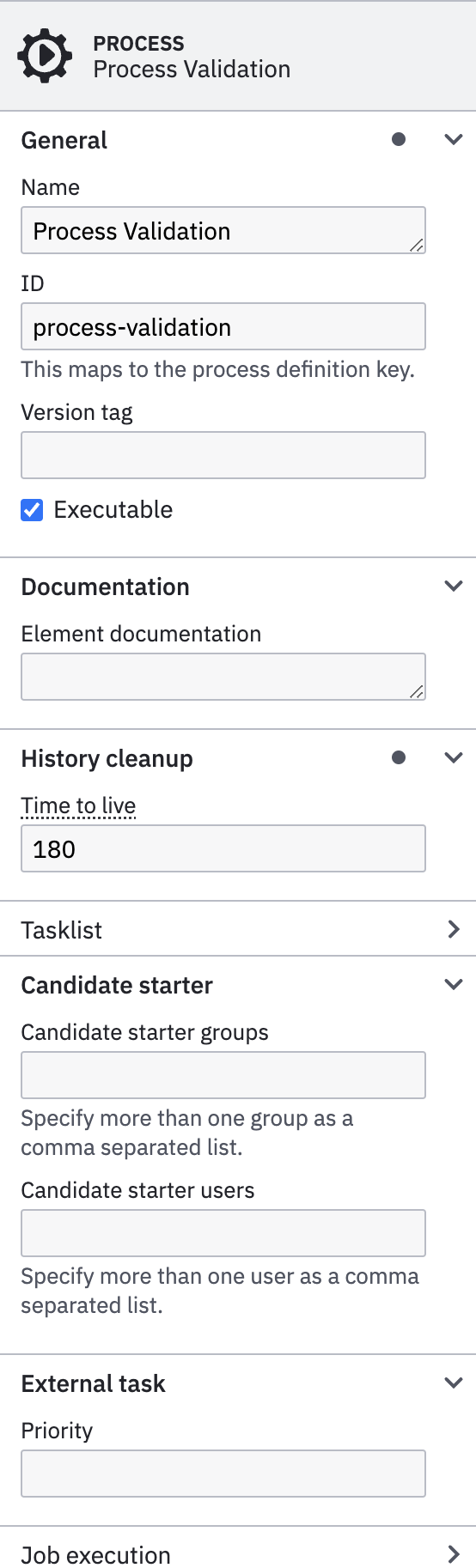
In the Process tab you have to configure the Name and ID of the process.
Note
You must select in an empty area of the Camunda Modeler to get the process properties.
This process can be used as standalone or invoked by other processes as Call Activity (subprocess). In this case the ID of the process will be used to be referenced from other processes.
Another important configuration if the Historical Time to live (HTTL), the Candidate starter groups and Candidate starter users that will be able to interact with this process.
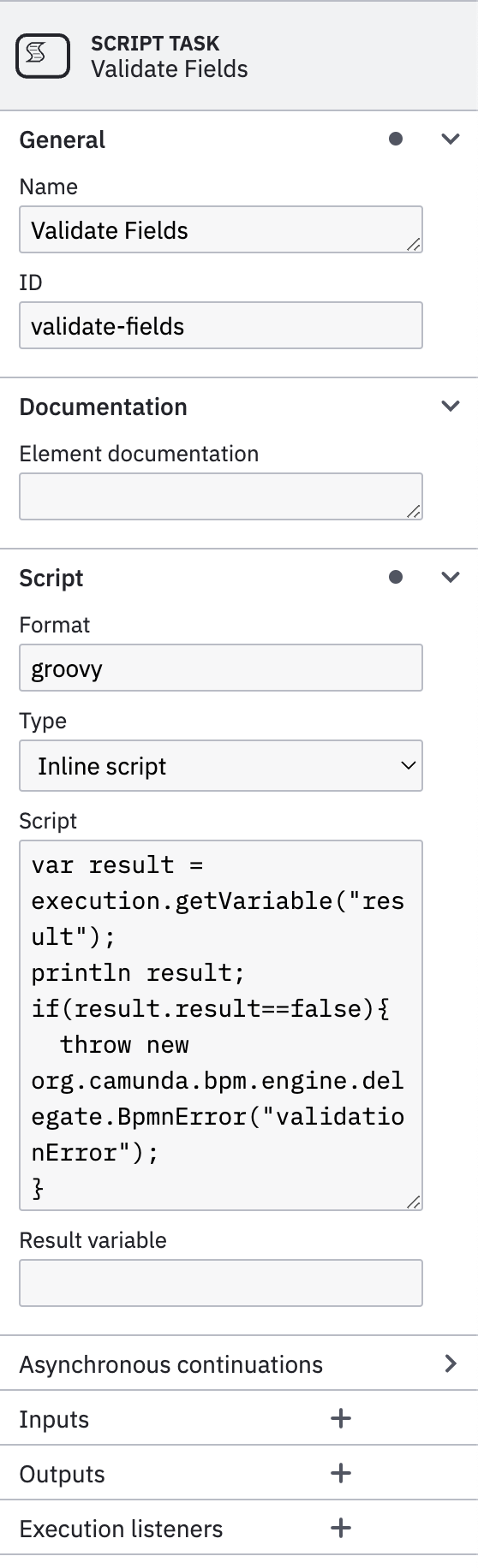
This is an automatic task that support scripting. There are several scripting languages supported by Camunda. You would need to add dependencies to support various languages into the Camunda project.
In order to support groovy scripting language to will need to add following dependency into pom.xml file.
  <dependency>
      <groupId>org.codehaus.groovy</groupId>
      <artifactId>groovy-jsr223</artifactId>
      <version>${groovy-jsr.version}</version>
      <scope>compile</scope>
  </dependency>
In order to properly configure a Script Task you will need to select:
- Format: The format of your scripting language:
groovy,javascript,python, etc.. - Type: There are two options
Inline scriptorExternal Resource - Script/External Resource: Depending on the
Typeselected you must put down your script or reference an external file.
Following groovy script will throw an exception if the result from a process variable (input of the process) is false.
var result = execution.getVariable("result");
println result;
if(result.result==false){
  throw new org.camunda.bpm.engine.delegate.BpmnError("validationError");
}
The exception will trigger the Error Boundary, so it will exit the normal path of the flow.
Boundary events provide a way to model what should happen if an event occurs while an activity is still active.
A boundary event must be an intermediate catch event, and can be either interrupting or non-interrupting. Interrupting means that once triggered, before taking any outgoing sequence flow the activity the event is attached to is terminated. This allows modeling timeouts where we can prune certain execution paths if something happens (e.g. the process takes too long).
You can add as many as needed Boundary events to a Task (Service Task, User Task, Script Task, etc..).
There are multiple options supported in BPMN like Message Events, Signal Events, Timer Events, Error Events, Escalation Events, etc..
In BPMN, errors define possible errors that can occur. Error events are elements in the process referring to defined errors. An error can be referenced by one or more error events.
An error must define an errorCode. The value of this errorCode is used to determine which catch event can catch the thrown error.
For error throw events, it is possible to define the errorCode as an expression or a static value. If an errorCode expression is configured then it will be evaluated once the event is reached, and used to throw error.
For error catch events errorCode must be a static value. Alternatively an error catch event may omit the error reference all together. In this case it catches all thrown errors.
Note
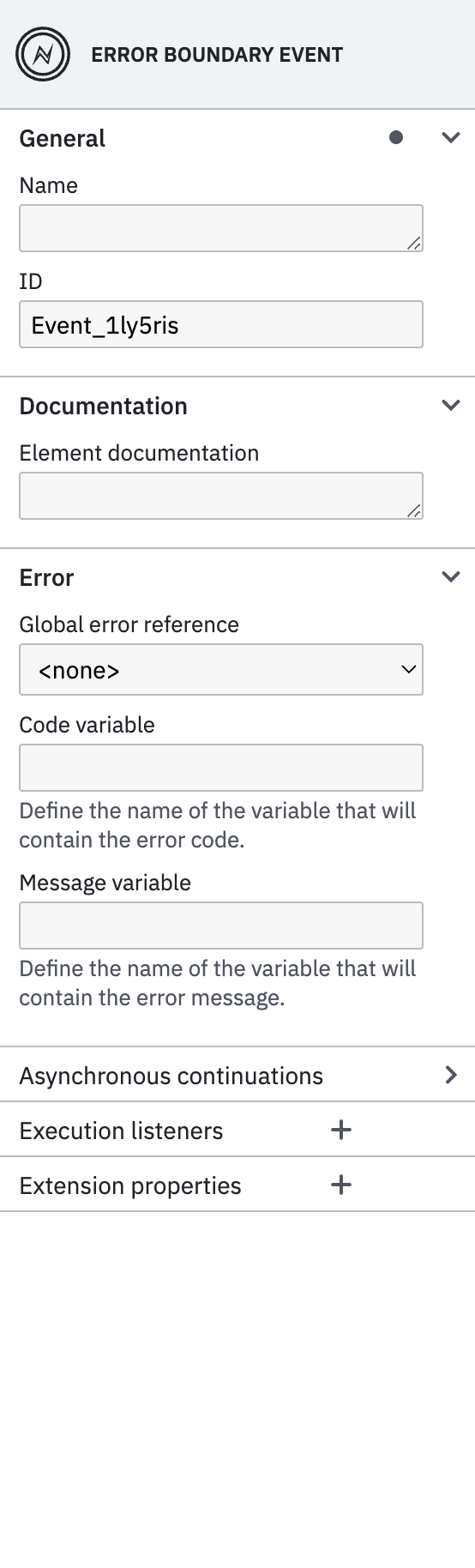
In the example this Error Boundary Event will catch any error thrown by the Task, so it won't take into consideration the errorCode of the exception so it catches all thrown errors.
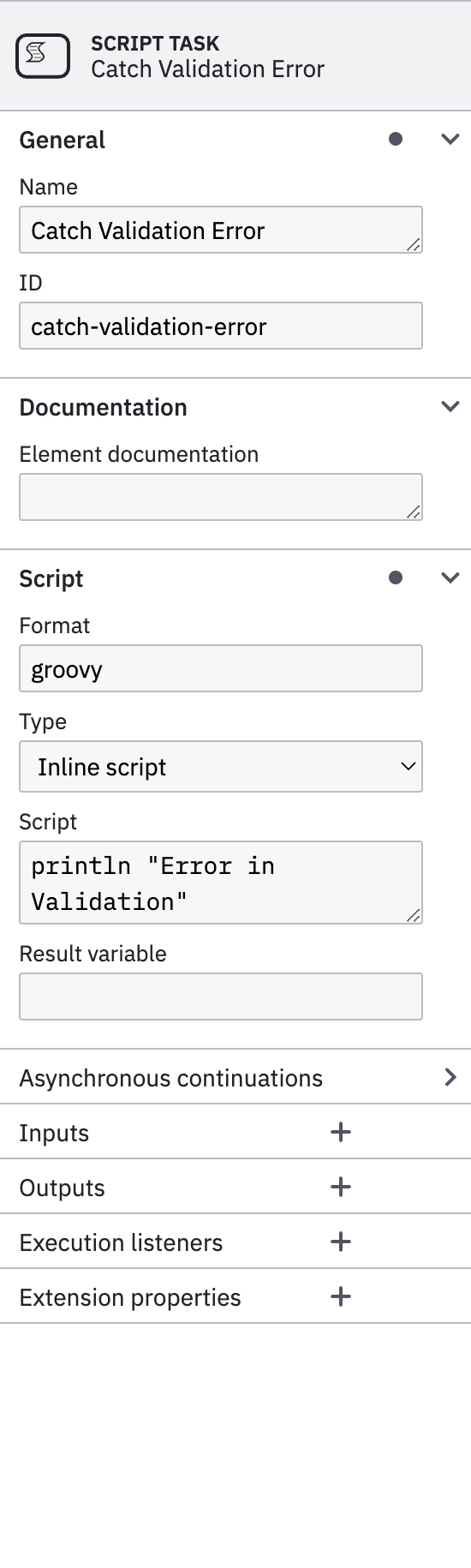
This is a Script Task will only prints an output log into the console.
You can also get the error code or message thrown by previous error boundary event.
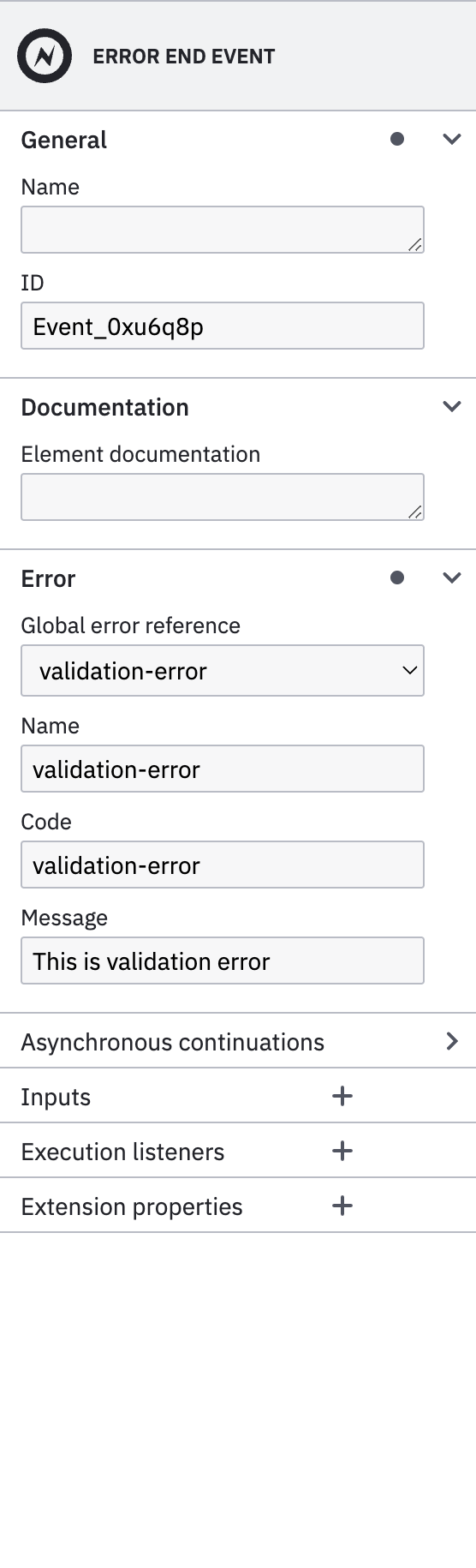
In a process you can define End Events that will be used later by the parent process and caught by the corresponding Boundary Events. Similar when an exception is thrown by the system or a task, you can throw a typed exception at the end of the process using Error End Events.
Following an example of a Call Activity that will catch an exception from a subprocess and react accordingly.
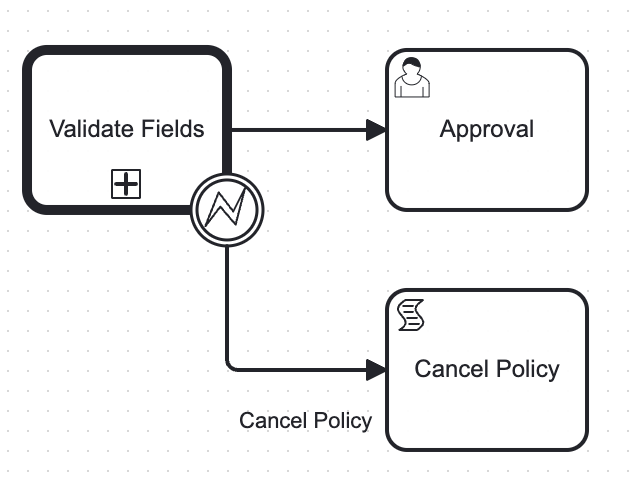
The common parameters to be configured using Error End Event are:
- Global error reference: The reference of the error to be thrown. You can create a new one if it does not exist.
- Name: The
nameof the error. - Code: The
errorCodeof the exception to be caught by a Boundary Event - Message: Message of the exception to be thrown.